
Find and join a Campaign
Browse available work, review Getting Started, and complete the joining flow for a Campaign.
Use Campaigns to discover work. Use Campaign Detail to understand the work, Reward, participation requirements, and whether your account is ready.
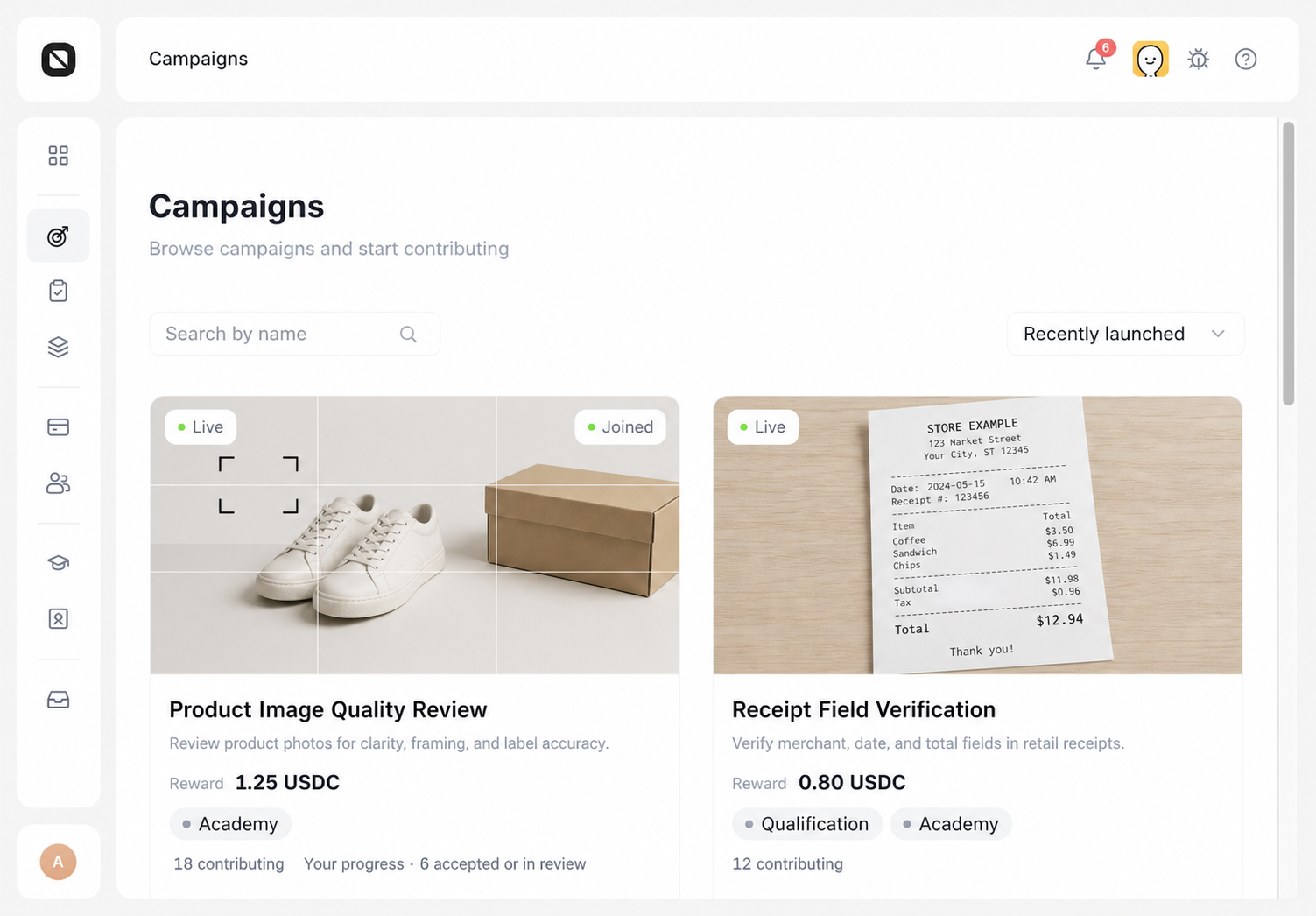
Find a Campaign
- Open Work → Campaigns.
- Search by Campaign name, or sort by Recently launched, Name A–Z, or Most contributors.
- Review the publisher, summary, Reward, participation requirements, contributor count, and your progress on each Campaign card.
- Select the Campaign card to open its details.
A visible Campaign is not necessarily available to your account. Visibility also does not guarantee that a Task is currently available.
Complete Getting Started
Campaign Detail lists the requirements that apply to your account. They can include:
- an Agreement;
- an Academy course;
- Identity, Skill, Profile, or Reputation requirements;
- an invite code;
- other Qualifications shown by the Campaign.
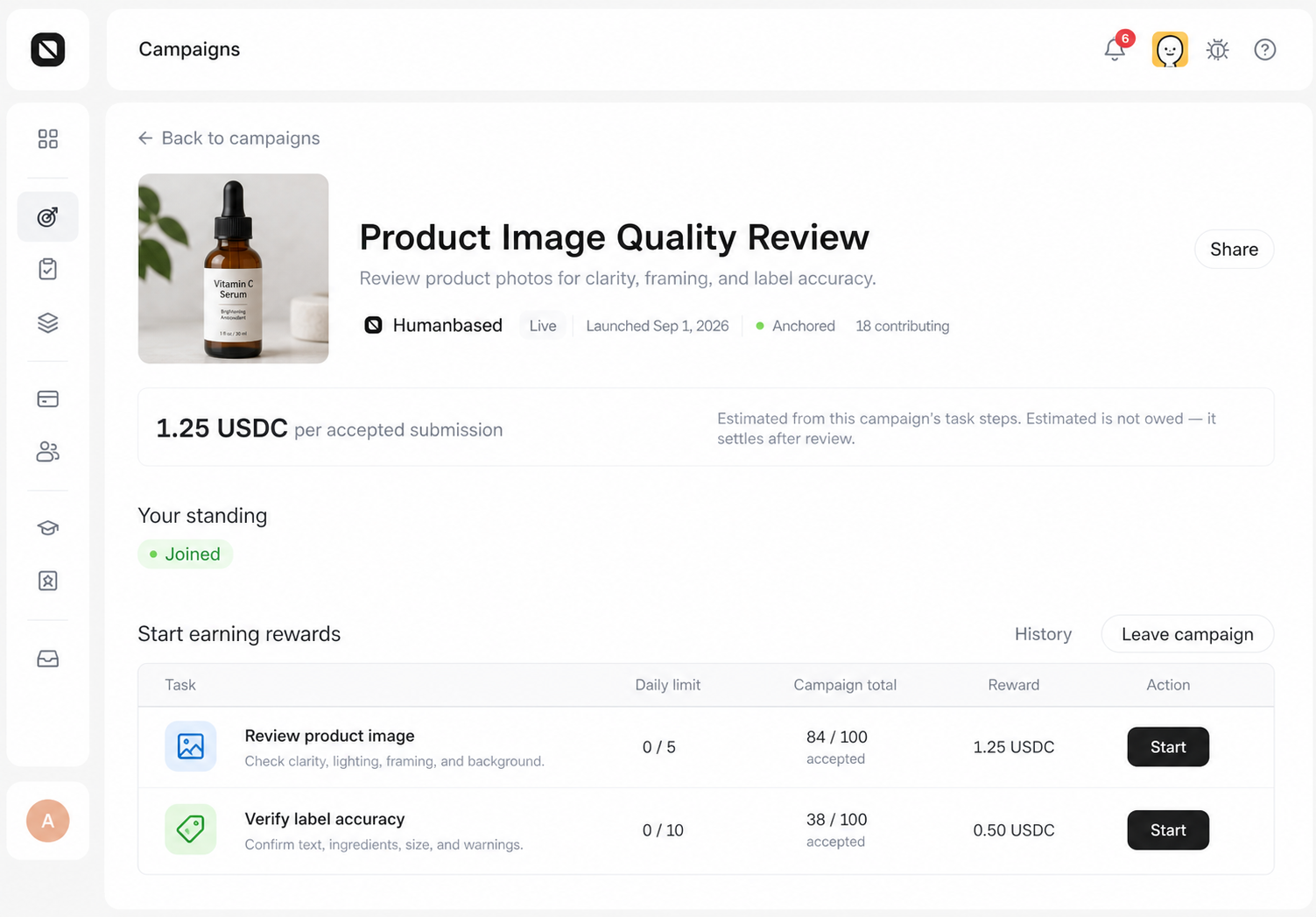
- Read the Campaign description and Reward details.
- Complete each item under Getting Started.
- For an invite-only Campaign, enter a valid code and select Join with code.
- When all required checks pass, select Join campaign.
- Under Start earning rewards, select Start or Continue on a Task row.
An invite code satisfies only the invite-code check in the Entry Gate. Agreements, courses, Identity, and other Qualifications are evaluated separately.
Other actions
- Share copies a deep link to the Campaign.
- History opens your Submission history.
- Leave campaign removes you from the Campaign after confirmation. Rejoining requires the current participation checks to pass again.
Completion check
The page shows that you have joined, and Start earning rewards contains a Task row with Start, Continue, a recovery countdown, or the current reason the Task cannot be claimed.