
Agreements and participation requirements
Accept the current Agreement and complete the courses, profile, identity, or other requirements for a Campaign.
A Campaign can require several participation checks. Always start with Getting Started on Campaign Detail; it shows what your current account still needs to complete.
Accept an Agreement
- Use the Agreement action on Campaign Detail, or open Agreements from the profile menu.
- Find the pending Agreement under Action required.
- Select Review to open the full text.
- Scroll to the end and satisfy the reading time shown on the page, which is at least 15 seconds.
- When Accept becomes available, select it.
- Close the panel, return to the Campaign, and check readiness again.
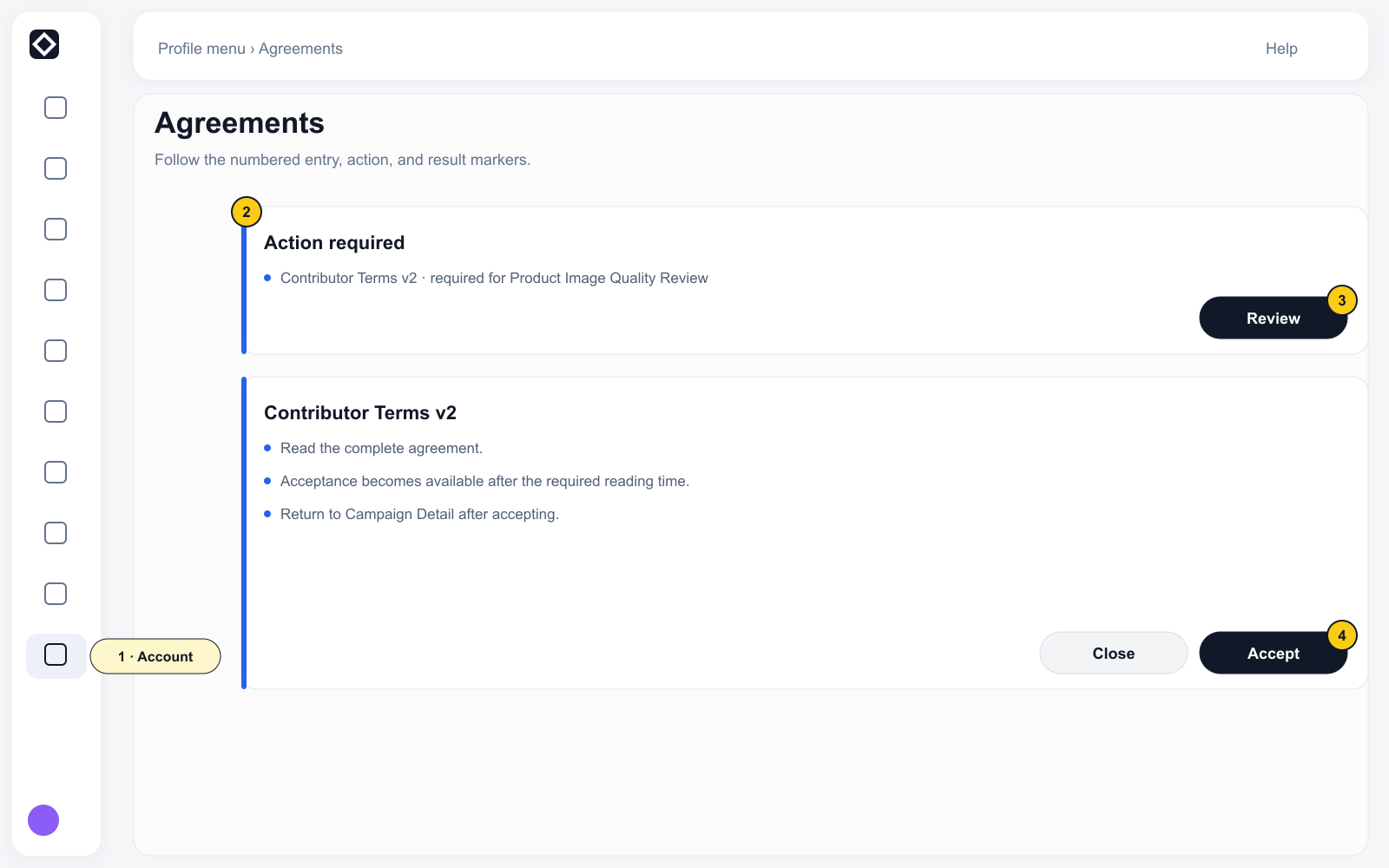
Agreements are versioned. You can select View under Accepted & active to read an accepted version without changing it.
Complete other requirements
A Campaign can also require you to:
- complete your Qualification profile;
- finish Learn content or earn a Credential;
- meet a Skill, language, experience, or Reputation threshold;
- complete Identity / KYC;
- enter a valid invite code.
Completing your profile and verifying your identity are separate actions. Identity is not required for every Task, but a sensitive Campaign or a withdrawal can require it.
- Select the entry beside an incomplete item in Getting Started.
- Complete that requirement on the destination page.
- Return to the Campaign.
- Check readiness again and repeat for any remaining item.
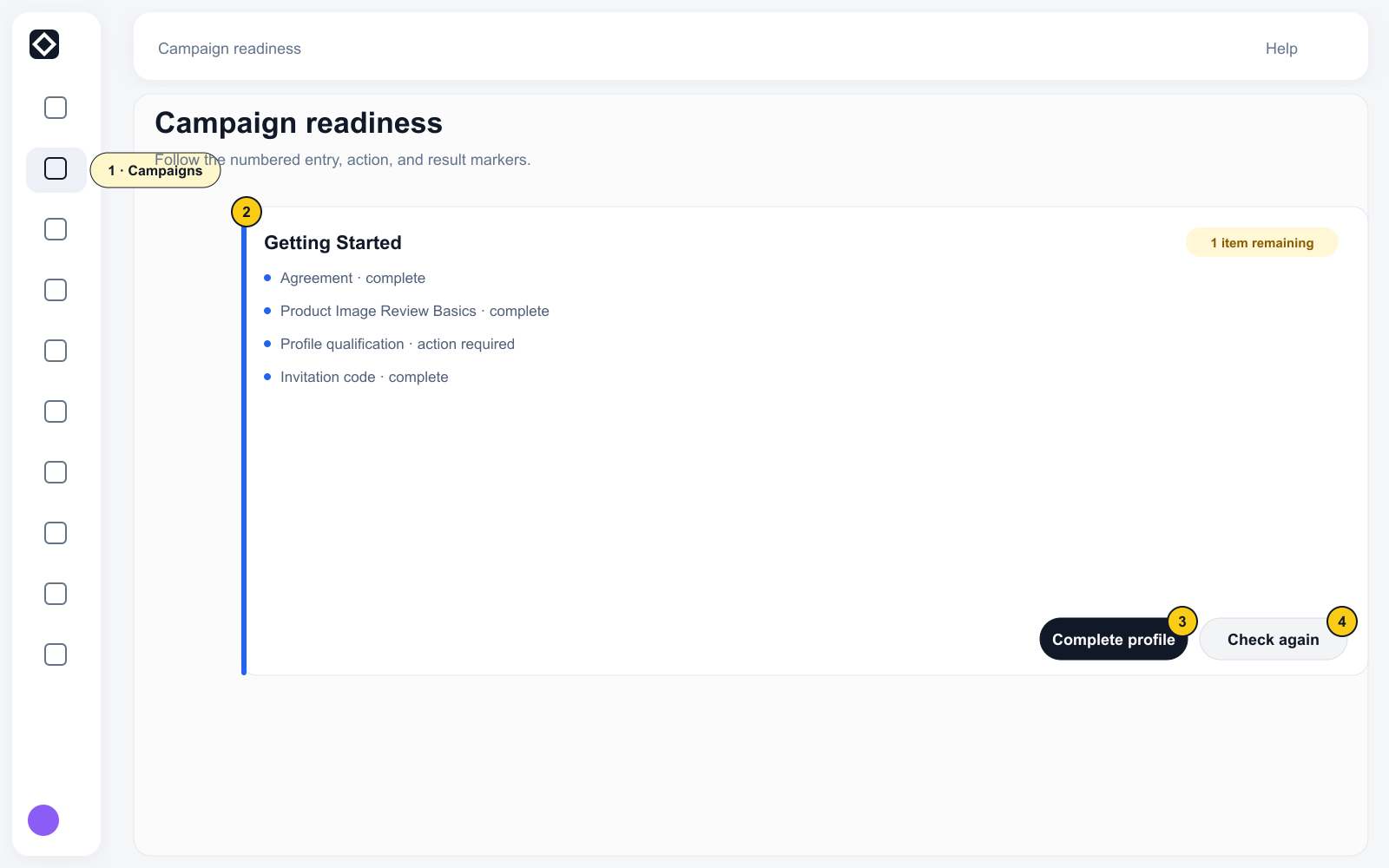
Eligibility does not guarantee immediate Task availability. The Campaign must also be active, have available inventory, and be within its Quota.
Next: Start and complete Tasks