
Earnings and withdrawals
Distinguish Reward activity, settlement status, and withdrawable balance, then complete an on-chain claim.
Earnings uses USDC and brings together the Reward ledger, settlement status, Payout setup, and on-chain withdrawal entry.
Review Earnings
Open Earn → Earnings and check the page in this order:
- Available to withdraw;
- Why can’t I withdraw? and Setup incomplete;
- the failing checks listed by the current dialog;
- On hold / Payable / Paid;
- Activity.
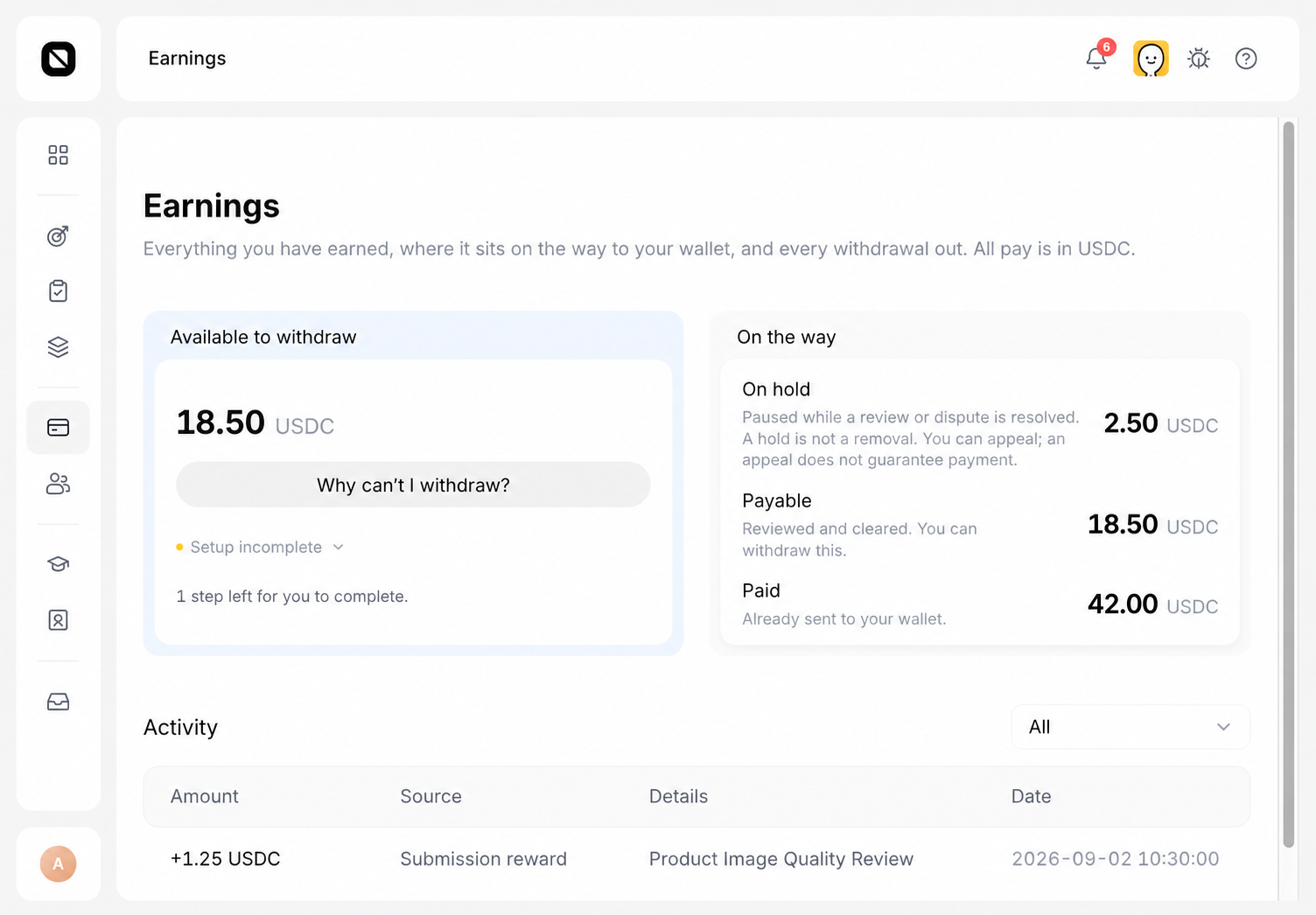
Understand the amounts
- Activity: a recorded USDC Reward or withdrawal event.
- On hold: an amount paused during review or a dispute; a hold is not a deduction.
- Payable: an amount that passed review and entered settlement.
- Paid: an amount sent to the wallet.
- Available to withdraw: the amount that currently passes the withdrawal-readiness checks and can be claimed.
If Activity contains an amount while Available to withdraw is zero, the Reward is usually still in review, on hold, clearing, or waiting for a setup check.
Complete Payout setup
Select Why can’t I withdraw?. The dialog lists only the checks that currently fail, which can include:
- Identity verified;
- Payout terms accepted;
- Wallet linked;
- Withdrawals permitted;
- Minimum amount reached.
For an item that has an available Fix this action, follow it, complete the requirement, and return to Earnings. The summary count and service restrictions can use different accounting, so do not assume a fixed five-item checklist or a fixed number of remaining steps.
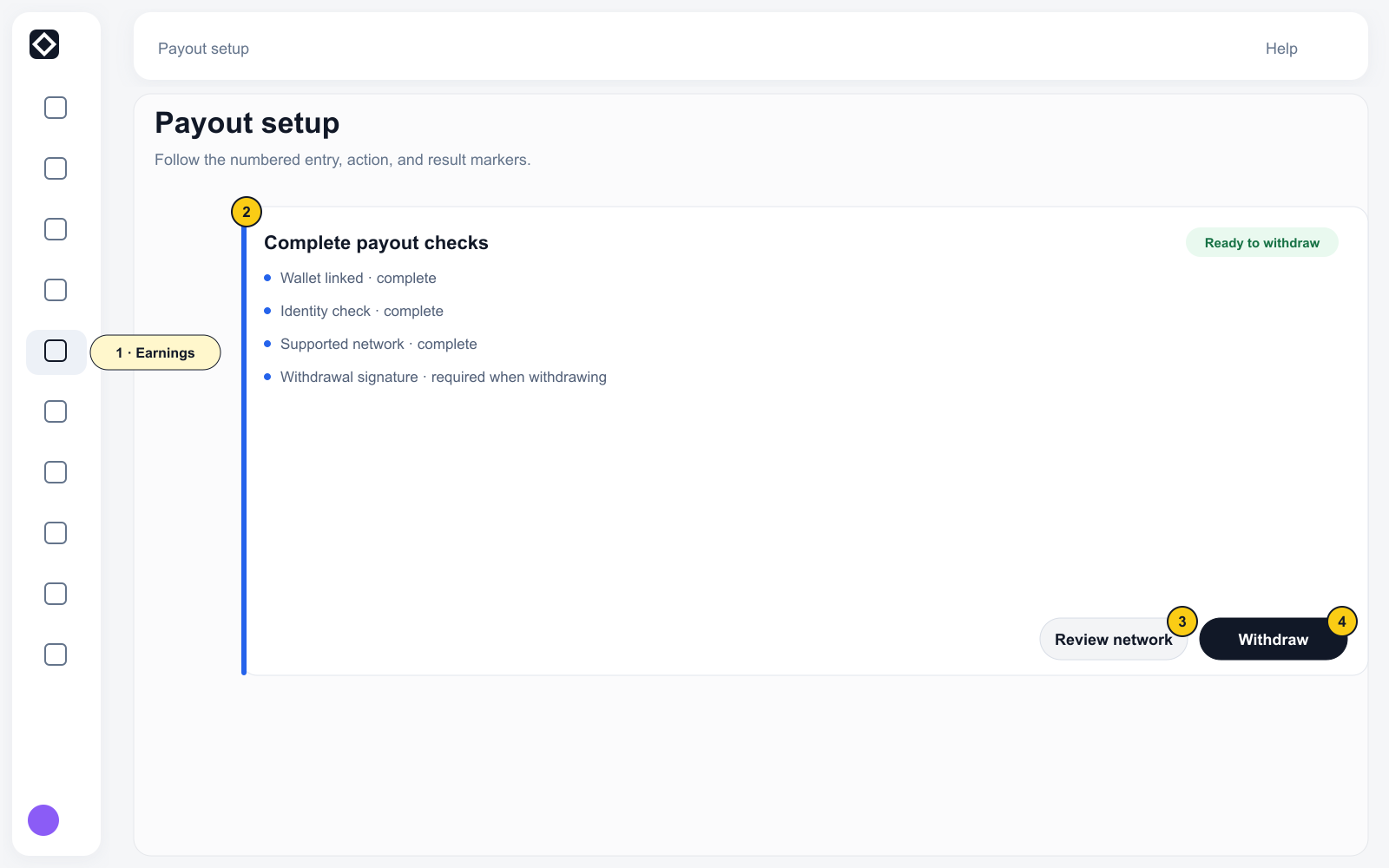
Withdraw
Continue only when the server reports ready, the amount is greater than zero, and Withdraw is available:
- Select Withdraw.
- Verify the full amount and network.
- Confirm that the signing wallet is linked to the current account.
- Read the irreversible-action notice.
- Confirm the signature in the wallet and wait for the on-chain result.
An on-chain action cannot be reversed. The wallet and transaction receipt are the final record of its status.