
Contributor GuidesComplete and track work
Appeal, resubmit, and Lineage
Appeal or resubmit an eligible Submission, or inspect its read-only processing history.
These actions appear only when the current Submission is eligible. Use the buttons shown on its Contributions row.
Submit an Appeal
- Open Contributions and find the Submission.
- Select Appeal.
- Read the current status and the reason provided by the page.
- Add relevant context.
- Submit the Appeal.
The Appeal status and outcome are updated on the same Submission record. An Appeal does not guarantee a changed result or a Reward.
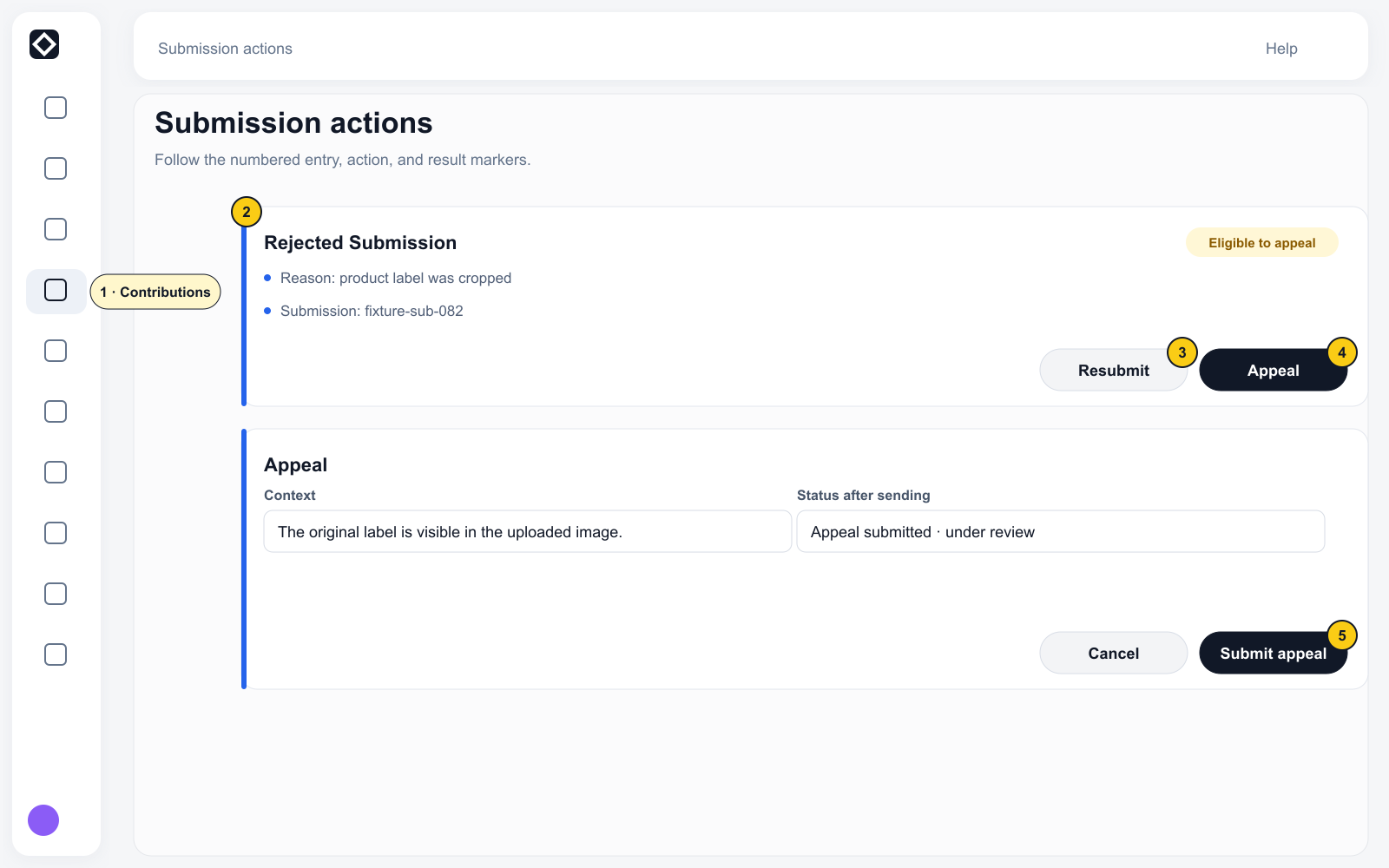
Resubmit eligible work
- Select Resubmit on an eligible record.
- The system returns you to the Task workspace and rechecks the Campaign, Step, Eligibility, Task availability, and Quota.
- Correct the work according to the latest page state and submit it again.
If the Campaign, Step, qualification, or inventory is no longer available, follow the blocker shown in the workspace.
View Data Lineage
- Select Track on a record that has a Lineage id.
- The tracker shows Submitted → Validated & accepted → Anchored on-chain → Included in dataset → Published downstream → Royalty walked back to you.
- Read each stage's own Completed, Not started, or Not reported state. Accepted does not prove that a downstream stage completed.
- If the page provides an Earnings entry, use it to review the related amount.
- Go back to Contributions when you need an Appeal or Resubmit action.
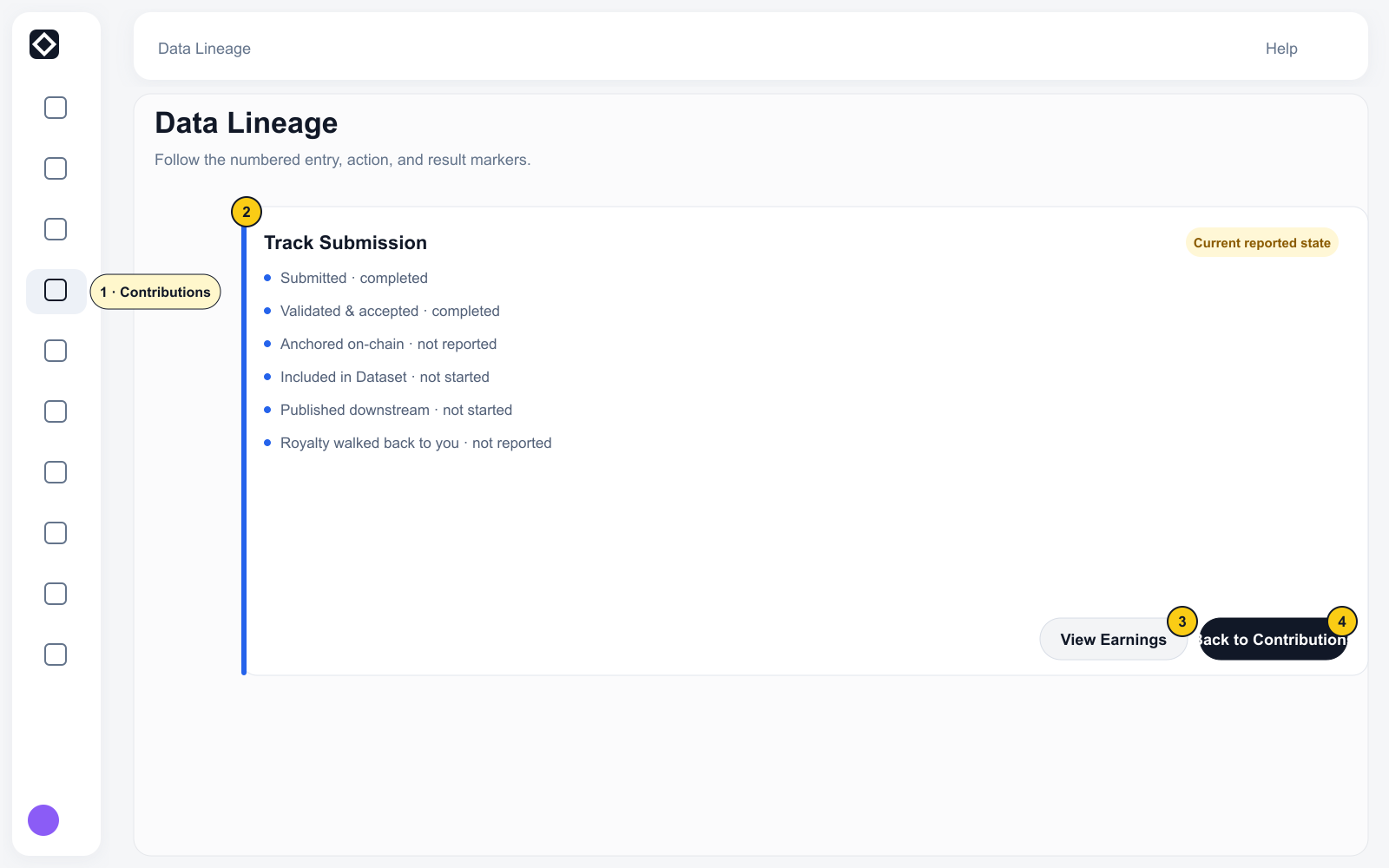
Lineage Tracker is read-only. To Appeal or Resubmit, return to Contributions and find the same Submission.
If Track or Data Lineage is not shown, continue following the current status in Contributions.