
Start Here
Contributor Quickstart
Find a Campaign, complete its participation requirements, submit a Task, and follow the result.
This guide covers the first Contributor workflow: find a Campaign, join it, start a Task, submit the work, and locate the resulting Submission.
Before you begin
Sign in to the Contributor Portal. A Campaign can require you to accept an Agreement, complete a course, update your profile, meet a Skill or Reputation requirement, or enter a valid invitation code.
1. Find and join a Campaign
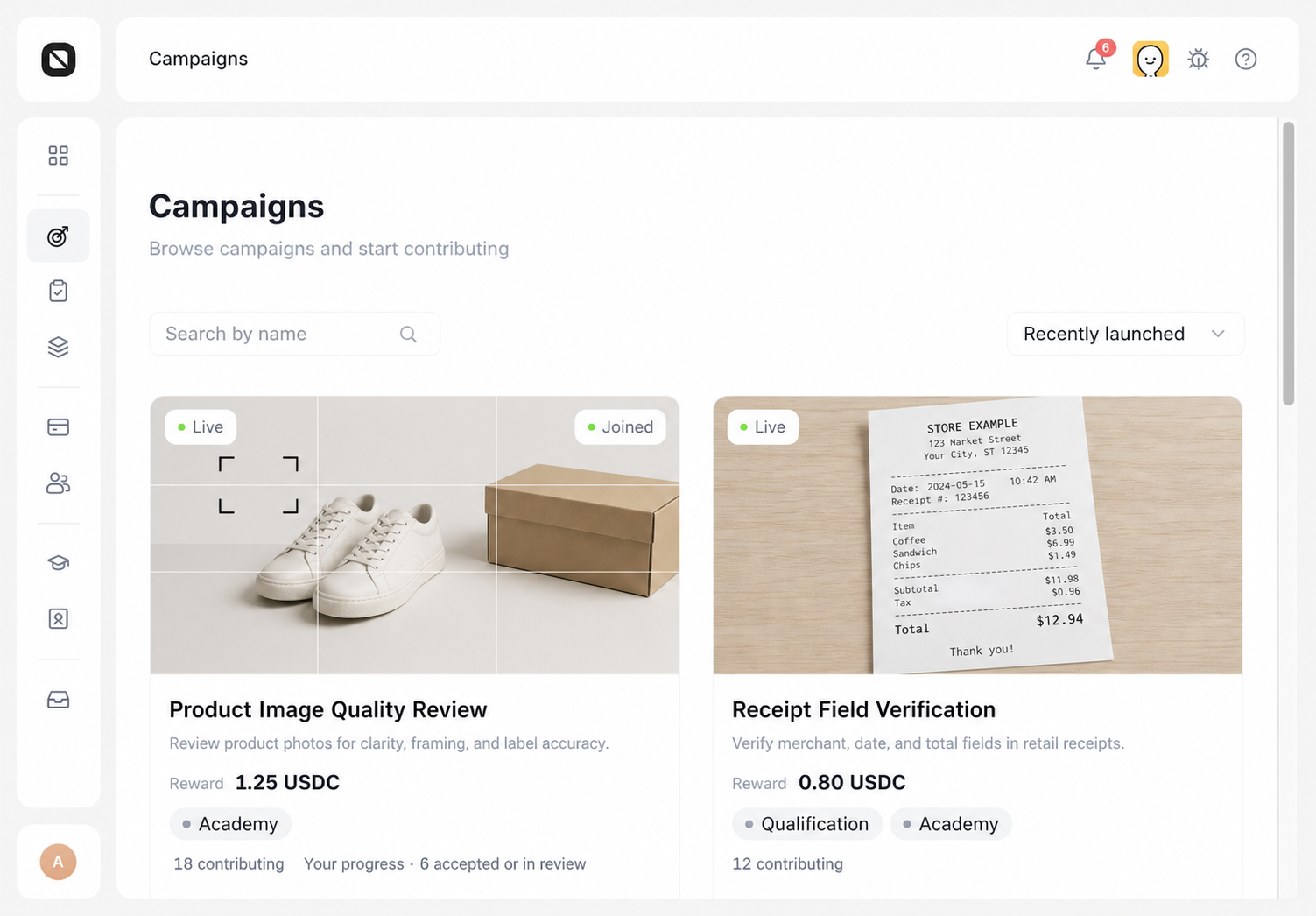
- Open Campaigns and browse, search, or sort the available Campaigns.
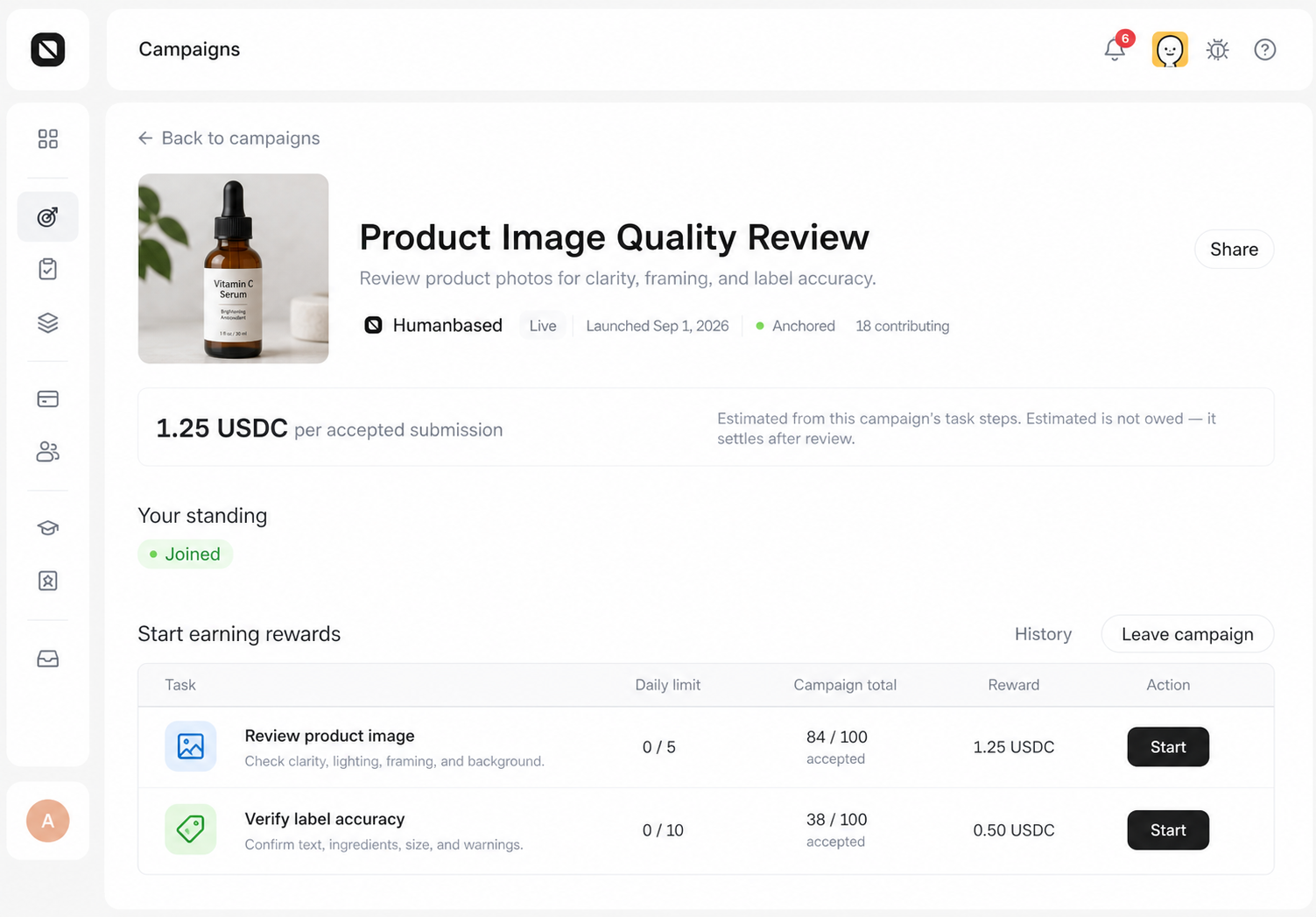
- Open a Campaign card and review the work, Reward, and participation requirements.
- Complete every item shown for your account under Getting Started.
- Select Join campaign when the requirements are complete. For an invitation-only Campaign, enter a valid code and select Join with code.
2. Start and complete a Task
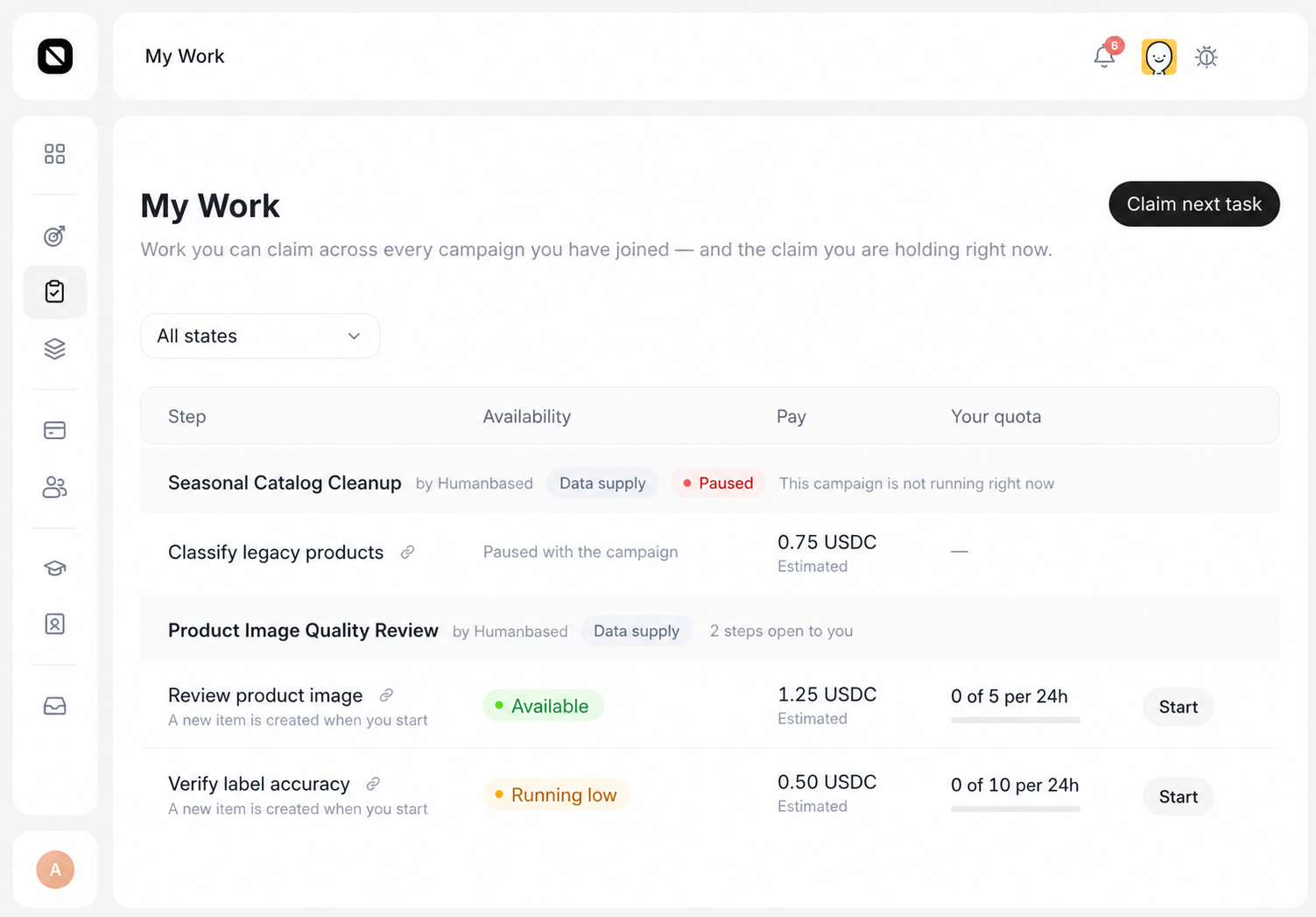
- Select Start on a Task row in Campaign Detail or on a specific Step in My Work. Claim next task selects the first currently claimable item.
- Select Continue when a Task is already in progress.
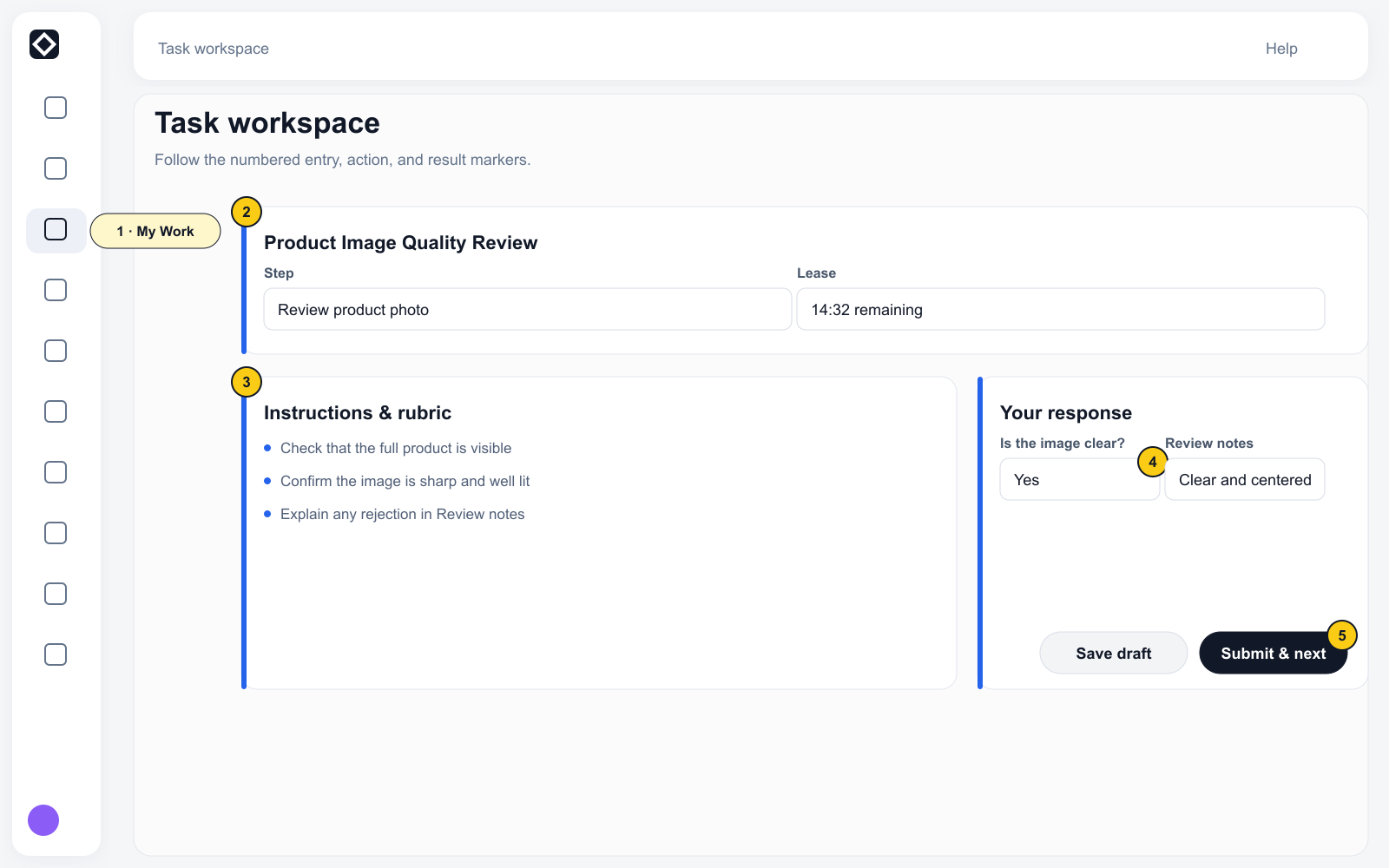
- After the Task opens, review the Instructions, AI policy, Reward, Quota, and lease time. My Work itself currently shows Step, Availability, Pay, and Your quota.
- Complete every required Form field.
- Select Save draft when needed, then select Submit & next task when the work is complete.
3. Follow the Submission and Reward
- Open Contributions and confirm that a Submission was created.
- Review its Review, Pipeline, and Earnings information.
- Use Track, Appeal, or Resubmit only when the current row provides that action.
- Open Earnings to review Available to withdraw, Payout setup, On hold / Payable / Paid, and Activity.
Completion state
The Submission appears in Contributions. A created Submission means that the work was submitted; it does not mean the work has been accepted or earned a Reward.
Next: Find and join a Campaign