
Participation and quality rules
Use Entry Gate, Uniqueness, Consensus, and Accept to control participation and acceptance.
Participation requirements determine who can enter the workflow. Quality nodes evaluate produced work. Accept determines which results can continue to delivery and Reward processing.
Configure Entry Gate
A Pipeline can contain no more than one Entry Gate, and the node cannot have an incoming connection.
- Select Quality & Gate → Entry Gate.
- Enter the Step name.
- Select Required agreements when applicable.
- Select a published Academy course and its passed or mastered standard when applicable.
- Expand Contributor profile and set region, education, language, experience, and Required skills.
- For an invitation-only Campaign, enable Require an invite code to join. Save the node, then generate and copy the current code.
- Select Save in the node dialog.
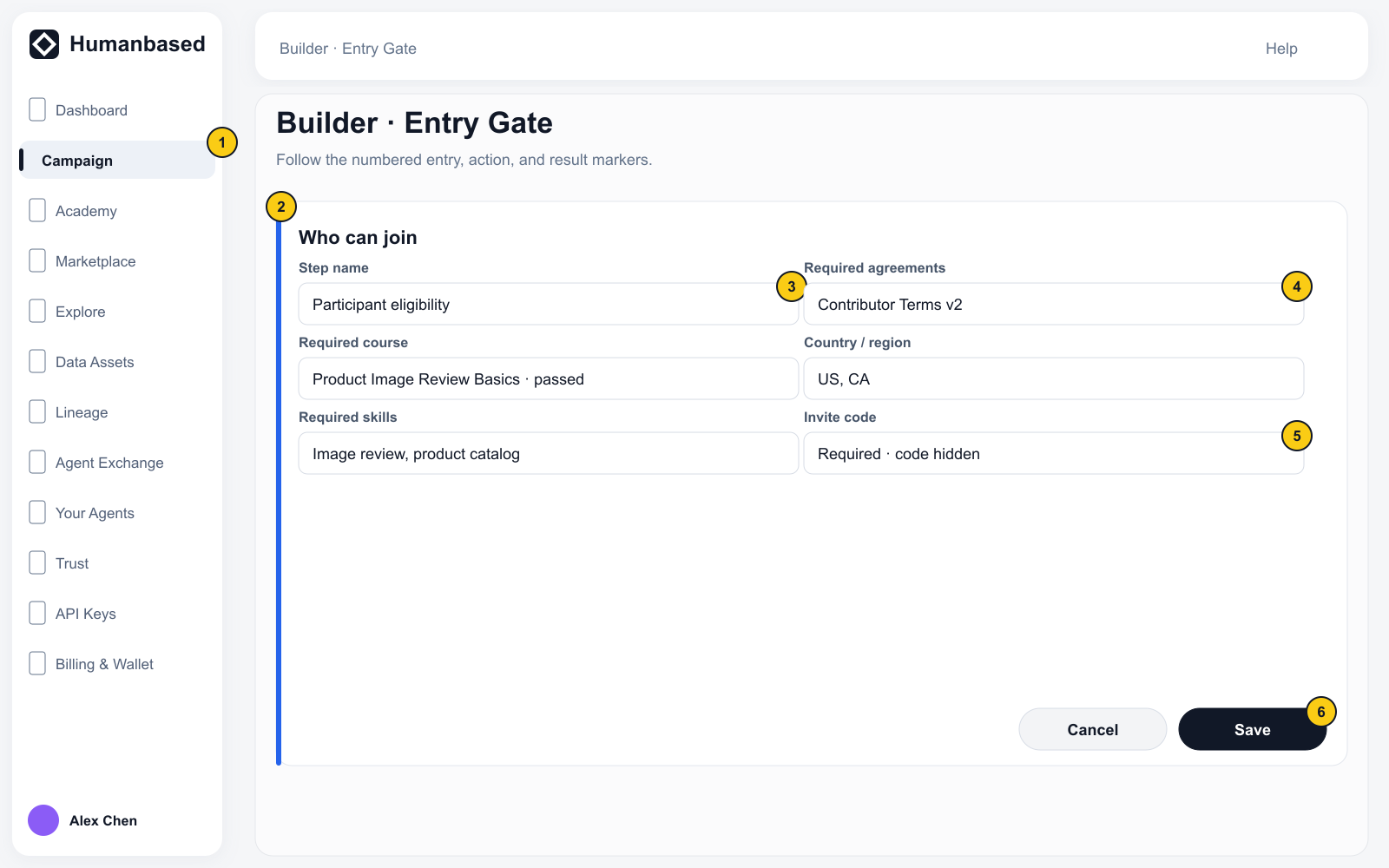
An invitation code satisfies only the invitation check. Agreements, courses, identity, and other qualifications are evaluated independently.
Add quality checks
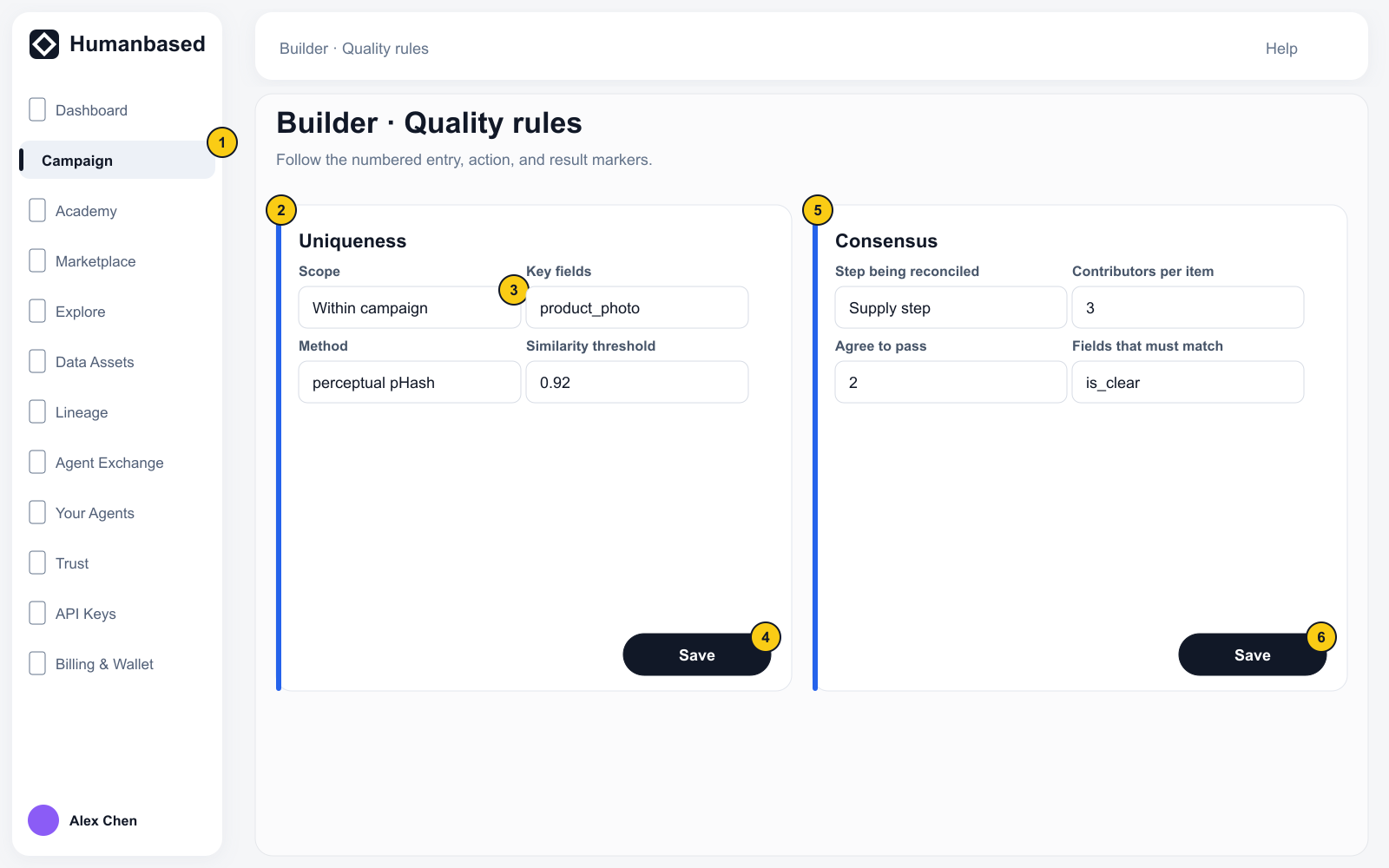
Uniqueness
Set the Review-time dedup scope, Key fields, data type, and matching method. Multiple Rules use OR; multiple fields inside one Rule use AND.
Consensus
Select the Step being reconciled, then set Contributors per item, Agree to pass, and Fields that must match. Connect Consensus between the relevant Supply and Accept.
Add only the quality checks required by the Campaign.
Configure Accept
Accept supports the review methods currently shown by the page. After selecting Auto, Manual, Scripted, or Agent, complete the applicable check, reviewer, Instructions, and minimum-rating fields, then save the node.
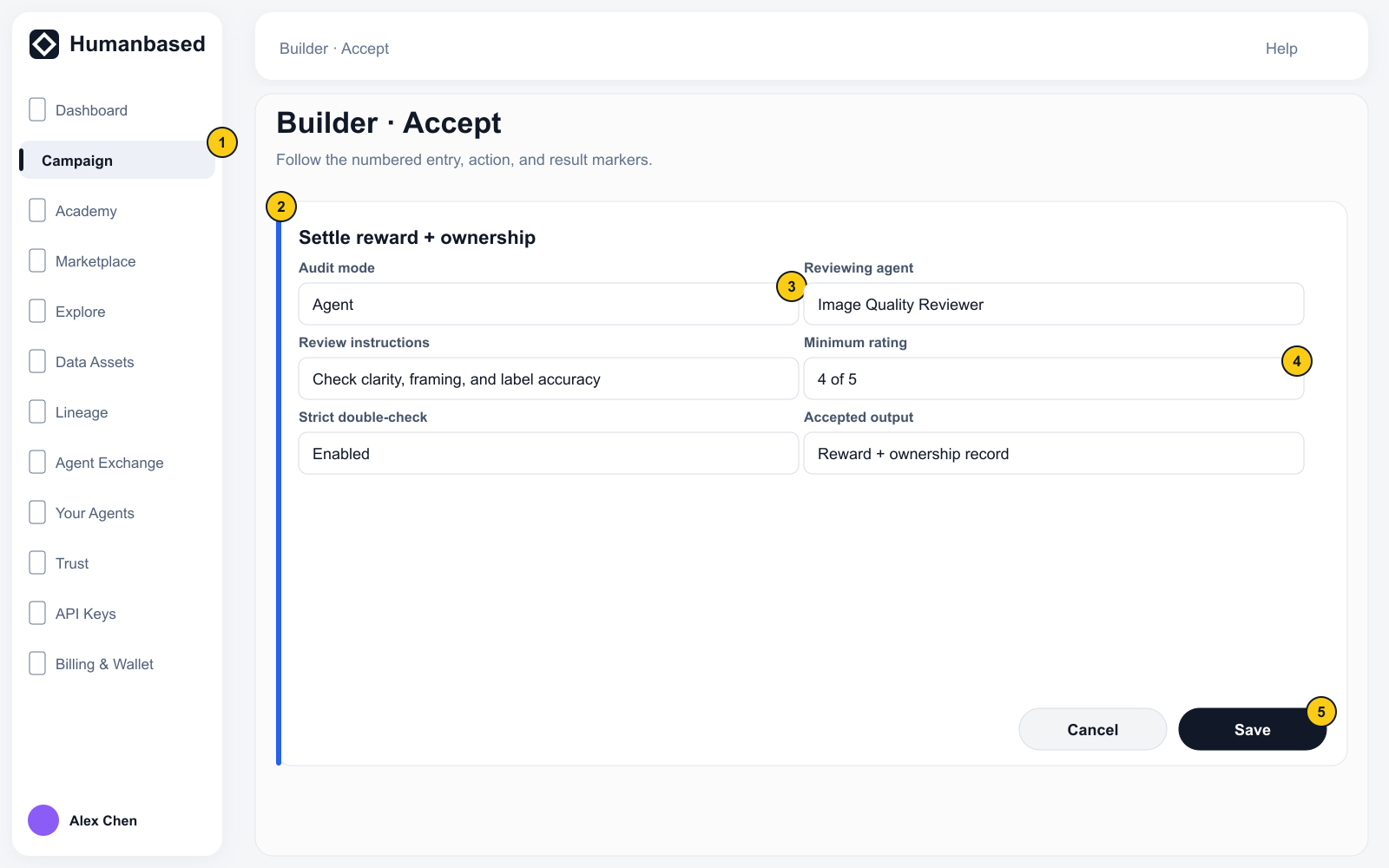
Acceptance and delivery are separate stages:
Accept → Sink
Accept → ETL → Sink
ETL produces stable delivery fields. Sink writes accepted results to the Campaign Dataset.
Next: Test, budget, and launch